

Showing Products 1 - 5 of 5 Result
World most popular Brand Hubs & Docking Stations from BME.
Hubs and docking stations are essential accessories for users who need to expand the connectivity of their devices, such as laptops, tablets, or desktops. They provide additional ports and features, making it easier to connect peripherals, monitors, and other devices, enhancing productivity and convenience.
Hubs and docking stations are versatile accessories designed to enhance the connectivity of devices such as laptops, desktops, tablets, and smartphones. They address the limitations of modern devices, which often come with a minimal number of ports, by providing a wide range of additional connectivity options. These devices are especially useful for professionals, gamers, content creators, and students who require seamless integration of multiple peripherals.
Hubs and docking stations are essential accessories that expand the connectivity of devices like laptops, tablets, and desktops. While USB hubs provide additional USB ports for peripherals, docking stations offer comprehensive solutions with ports for monitors, Ethernet, power delivery, and more. Modern options include Thunderbolt docks for ultra-fast data transfer and multi-monitor support. These devices enhance productivity, cater to various use cases (office, travel, gaming, etc.), and ensure seamless multitasking across devices. Available in compact and stationary designs, they are perfect for users seeking convenience, versatility, and better device management.
What Are Hubs and Docking Stations?
-
Hubs:
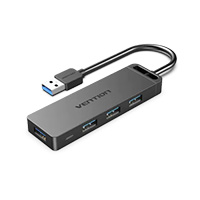
USB hubs are compact devices that expand the number of USB ports available on your computer or laptop. They are primarily used to connect peripherals like keyboards, mice, printers, external hard drives, and flash drives. -
Docking Stations:
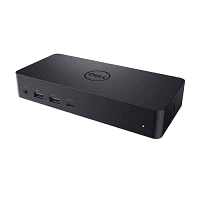
Docking stations are more advanced than hubs, offering a comprehensive range of ports and functionalities. In addition to USB ports, they include options for video output, Ethernet connections, audio input/output, and power delivery. Docking stations are designed to transform a laptop into a full-fledged desktop workstation.
Types of Hubs and Docking Stations
1. USB Hubs
- Simple and affordable.
- Expand USB-A or USB-C ports for connecting peripherals.
- Ideal for basic connectivity needs, such as adding extra USB devices to a laptop.
2. Portable Multi-Port Hubs
- Compact and travel-friendly.
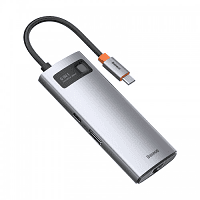
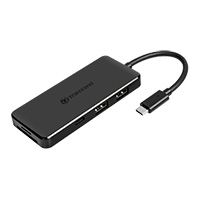
- Provide additional USB ports, HDMI for external monitors, SD card readers, and Ethernet ports.
- Perfect for users who need versatility on the go.
3. Desktop Docking Stations
- Designed for stationary use with laptops or desktops.
- Provide extensive connectivity options, including multiple display outputs, Ethernet, audio jacks, and power delivery for charging devices.
- Often used in office or home workstation setups.
4. Thunderbolt Docks
- Leverage Thunderbolt 3 or 4 technology for ultra-fast data transfer and high-performance connections.
- Support for multiple 4K or 8K displays and daisy-chaining multiple devices.
- Preferred by professionals who work with large data files, video editing, or high-resolution monitors.
Key Features
-
Port Selection:
- USB-A and USB-C ports.
- HDMI, DisplayPort, or VGA for connecting external displays.
- Ethernet for high-speed wired internet.
- SD/microSD card slots for photographers and video editors.
- 3.5mm audio jacks for headphones or external speakers.
-
Power Delivery (PD):
- Charging support for laptops and smartphones via USB-C.
- Ensures efficient power management for devices connected to the dock.
-
Video Output:
- Supports dual or triple monitor setups with resolutions up to 8K for Thunderbolt docks.
- Compatible with HDMI, DisplayPort, or VGA connections.
-
Data Transfer Speeds:
- USB 3.1/3.2 for fast file transfers.
- Thunderbolt 4 supports speeds up to 40Gbps.
-
Design:
- Compact hubs for portability.
- Robust aluminum builds for durability and heat dissipation.
Popular Hubs and Docking Stations
1. Anker PowerExpand 8-in-1 USB-C Hub
- Features: HDMI, USB-C with PD, USB-A, Ethernet, SD card reader.
- Use Case: Ideal for daily use and travel.
2. CalDigit TS4 Thunderbolt Dock
- Features: 18 ports, dual 6K monitor support, ultra-fast transfer speeds.
- Use Case: High-performance professional workflows.
3. Kensington SD5700T Thunderbolt 4 Dock
- Features: Dual 4K monitor support, multiple USB ports, Ethernet, SD card slot.
- Use Case: Power users and creative professionals.
4. Dell WD19S Docking Station
- Features: USB-C, HDMI, DisplayPort, Ethernet, audio jack.
- Use Case: Office and home workstation setups.
5. Satechi Aluminum Multi-Port Adapter V2
- Features: HDMI, USB-C PD, USB-A, SD card slots, Ethernet.
- Use Case: Perfect for MacBook users and ultrabooks.
Advantages
- Expanded Connectivity: Adds multiple ports to modern devices with limited built-in connectivity.
- Productivity Boost: Supports multitasking by connecting multiple monitors, external storage, and input devices.
- Flexibility: Portable hubs are easy to carry, while docking stations provide a permanent, organized workstation.
- Device Charging: Supports fast charging for laptops and smartphones via power delivery.
- Compatibility: Works seamlessly with various operating systems and devices.
Use Cases
- Business Professionals: Docking stations provide seamless connectivity to office peripherals and monitors.
- Gamers: Thunderbolt docks support high-performance GPUs and multiple displays.
- Students: Affordable hubs add ports for keyboards, mice, and external drives.
- Travelers: Compact hubs enhance productivity on the go with minimal weight and space requirements.
How to Choose the Right Hub or Docking Station
-
Port Requirements:
- Determine the type and number of ports you need (e.g., HDMI, USB, Ethernet).
-
Power Delivery:
- Check if the dock supports sufficient power delivery for charging your laptop or other devices.
-
Display Needs:
- Ensure compatibility with your monitor's resolution and refresh rate.
-
Data Transfer:
- Opt for USB 3.1 or Thunderbolt for faster data transfer if required.
-
Build Quality:
- Choose durable materials like aluminum for better heat management and longevity.
Hubs and docking stations are indispensable tools for expanding the functionality of modern devices. From basic USB hubs to high-performance Thunderbolt docks, there’s an option for every user’s needs. Whether you're a professional setting up a workstation, a student enhancing connectivity, or a traveler needing versatile solutions, these accessories make multitasking and device management seamless. Prioritize your requirements and choose the device that best suits your lifestyle and work style.

